import weave# 프로젝트 이름으로 Weave를 초기화weave.init(project_name="crewai_demo")
초기화 후, Weave는 트레이스와 메트릭을 확인할 수 있는 URL을 제공합니다.
4
Crews/Flows 생성
from crewai import Agent, Task, Crew, LLM, Process# 결정론적 출력을 위해 temperature를 0으로 설정하여 LLM 생성llm = LLM(model="gpt-4o", temperature=0)# 에이전트 생성researcher = Agent( role='Research Analyst', goal='Find and analyze the best investment opportunities', backstory='Expert in financial analysis and market research', llm=llm, verbose=True, allow_delegation=False,)writer = Agent( role='Report Writer', goal='Write clear and concise investment reports', backstory='Experienced in creating detailed financial reports', llm=llm, verbose=True, allow_delegation=False,)# 작업 생성research_task = Task( description='Deep research on the {topic}', expected_output='Comprehensive market data including key players, market size, and growth trends.', agent=researcher)writing_task = Task( description='Write a detailed report based on the research', expected_output='The report should be easy to read and understand. Use bullet points where applicable.', agent=writer)# 크루 생성crew = Crew( agents=[researcher, writer], tasks=[research_task, writing_task], verbose=True, process=Process.sequential,)# 크루 실행result = crew.kickoff(inputs={"topic": "AI in material science"})print(result)
5
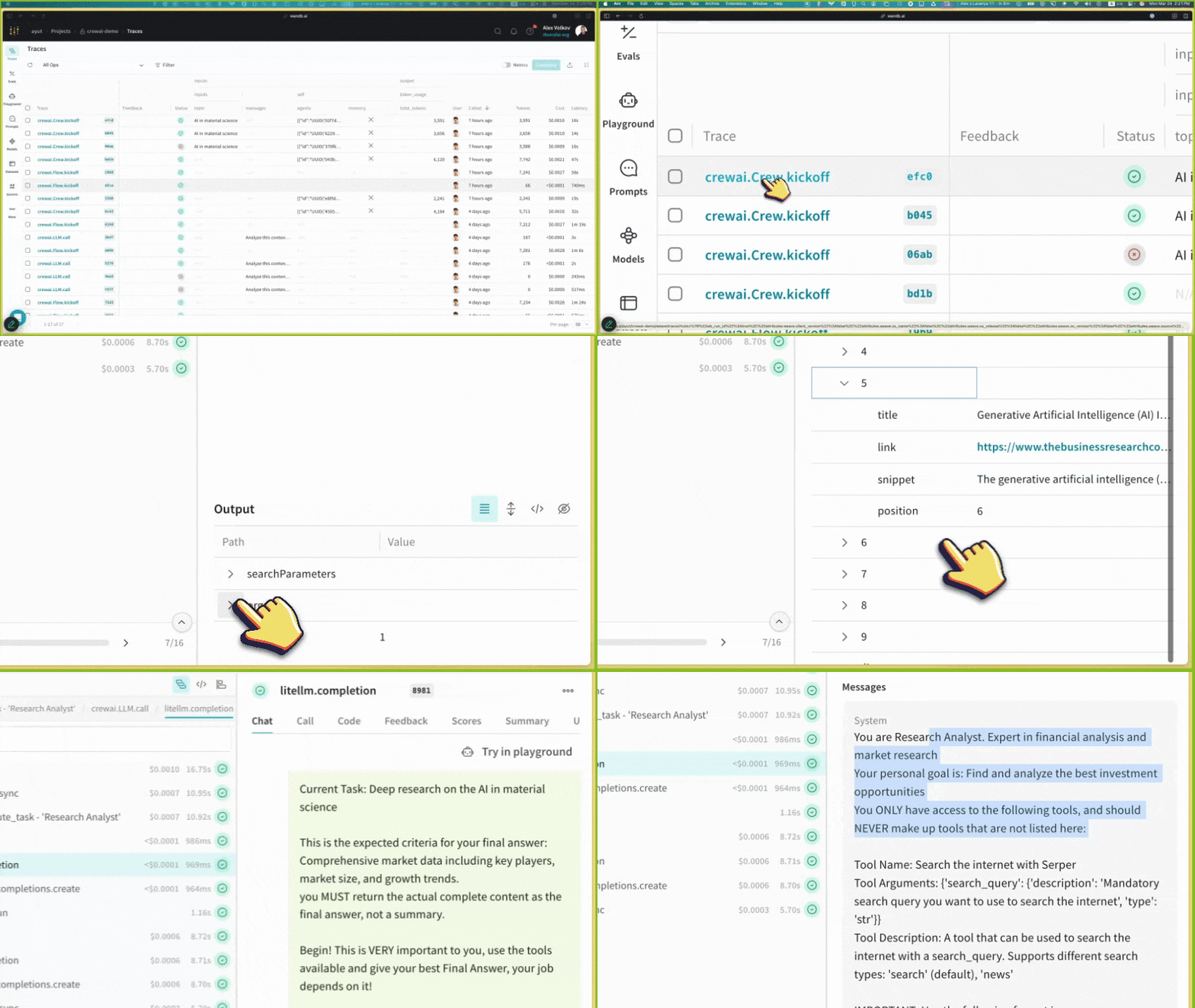
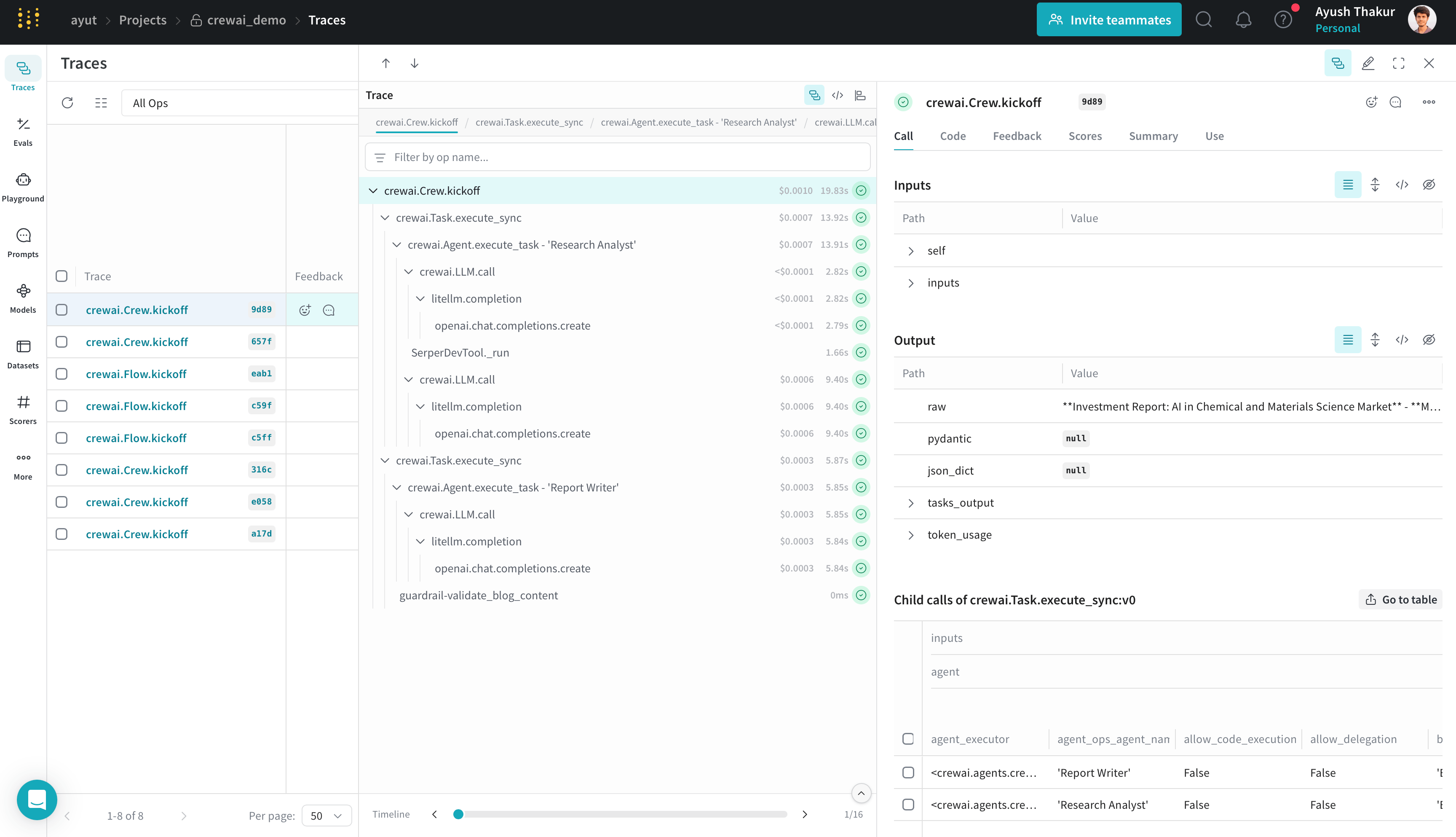
Weave에서 트레이스 보기
CrewAI 애플리케이션 실행 후, 초기화 시 제공된 Weave URL에 방문하여 다음 항목을 확인할 수 있습니다: